
Appearance
vue-cached-icon
Caching icon loader with an emphasis for loading the icons directly from the CDN.
Also supports svg string literals, urls to raster images (png, jpg, gif, webp, bmp, ico, avif) or urls to svg as source.
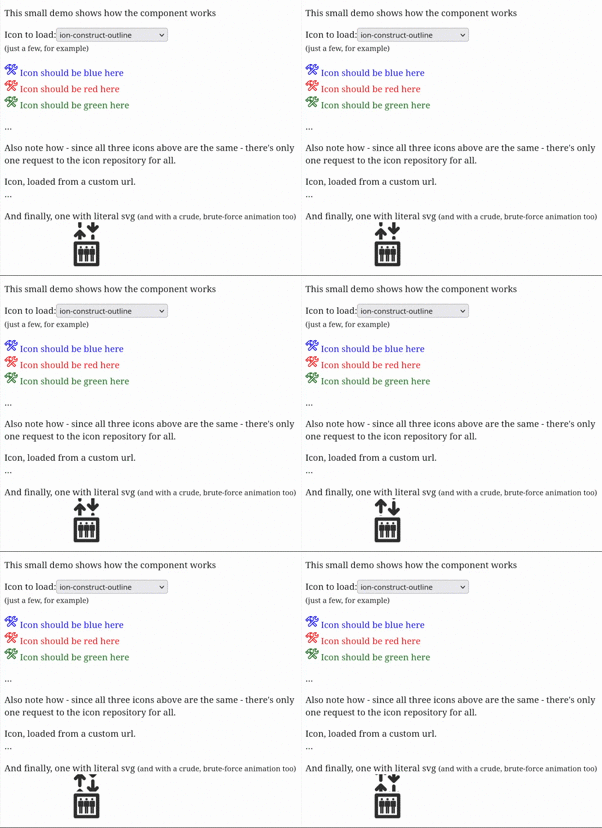
Demo
https://www.velis.si/vue-cached-icon/
Features
- Renders sanitised SVG
- Also renders raster images (png, jpg, jpeg, gif, webp, bmp, ico, avif), recognised by their URL's extension and handed straight to the browser, unsanitised, since there's no markup for DOMPurify to sanitise
- Rejects a URL that resolves to neither a raster image nor a valid SVG, instead of rendering it half-sanitised
- Loads from CDN, any local URL, any full URL or SVG literal
- 'ion-*': loads from ionicons repository
- 'mdi-*': loads from material design icons repository
- 'fa-*': loads from font-awesome repository
- Register your own repositories using
registerIconProvider(prefix: string, urlBuilder: (name: string) => string) - Caches loaded icons, there will be only one HTTP request per icon as long as the app is running
- Retries icons that fail to load for a reason that may pass, see Failed loads
- Applies currentColor to icons: if colour is not otherwise specified, icons will have same color as HTML text
- Sizes icons to the surrounding text by default, see Sizing and styling
- Safe for server-side rendering: icons load in the browser after mount, see Server-side rendering
Installing
bash
npm install --save vue-cached-iconUsing
html
<template>
  <div>
    <!-- will load by name from Ionicons CDN -->
    <cached-icon name="ion-warning"/>

    <!-- will load from your own server or any other if full URL is provided -->
    <cached-icon name="/images/my-custom-icon.svg"/>

    <!-- raster images are recognised by extension and rendered directly as an <img>, unsanitised -->
    <cached-icon name="/images/my-custom-icon.png"/>

    <!-- will display the provided SVG, but with all processing (sanitizing, applying currentColor) -->
    <cached-icon :name="mySvgLiteral"/>
  </div>
</template>
vue
<script setup>
  import { CachedIcon } from 'vue-cached-icon';
</script>
The component emits icon-loaded with the icon name once the icon has rendered.
Besides CachedIcon, registerIconProvider and retryFailedIcons (see Failed loads) the package exports resolveProviderUrl(name), which returns the URL a name resolves to, iconProviders, the registry of providers by prefix, and augment(svg), the sanitisation and currentColor processing applied to every SVG.
Failed loads
An icon that fails to load shows …, and the failure is logged to the console once per request. All icons with the same name share the failure, and the next attempt is again a single request for all of them.
- A network error, HTTP 5xx, 401, 403, 408 and 429 are retried while the icon is displayed: after 2 s, then after a delay doubling up to 60 s, or after the delay the server asks for in
Retry-After. When the browser comes back online, the retry happens right away. An icon mounted after the retry is due requests it right away as well. - Any other HTTP status, such as 404, and a response that is not an SVG are not retried.
Call retryFailedIcons() when requests that failed may now succeed, e.g. after the user logs in. It forgets every failed load, those not retried included, and the displayed icons load again right away:
javascript
import { retryFailedIcons } from 'vue-cached-icon';

await login();
retryFailedIcons();
Sizing and styling
Icon sets ship their SVGs with a viewBox but no width / height, so the size has to come from the use site. This package provides it for you: the icon renders in an inline <span class="cached-icon-wrapper"> sized at 1em, so an icon is as big as the text around it and moves with the font size.
Everything is a plain default that your own CSS overrides — the package stylesheet is prepended to <head>, so your rules win without !important:
css
/* a fixed size */
.cached-icon-wrapper { width: 24px; height: 24px; }

/* or size a group of icons through the font */
.toolbar .cached-icon-wrapper { font-size: 1.5rem; }
SVGs that declare their own width / height keep them. Raster images are sized the same way through the wrapper, with object-fit: contain so their aspect ratio is preserved rather than stretched to fill it.
Server-side rendering
During server-side rendering (Nuxt, VitePress, vite-ssg …) the component renders an empty <span class="cached-icon-wrapper">: it neither fetches nor sanitises anything on the server. The icon loads once the component is mounted in the browser, so the server-rendered markup always matches the first client render and hydrates without mismatches. Icons are therefore not part of the static HTML.
Contributing
Contributions are welcome! Feel free to open an issue or submit a pull request.
Please make sure your changes are well-tested and follow the existing code style.